Apps / BarVault
BarVault
Track every bottle in your bar
Know what you own, what's open, how much is left and what to buy next. No account, no sign-up; your collection stays yours.
- Price
- Free, Supporter upgrade*The free version covers what most people need; the Supporter upgrade is a one-time purchase.
- Runs on
- iPhone, iOS 15 or later
- Android, Android 7.0 or later
- Languages
- English, Russian, Armenian
- Version
- 1.4.0
*Prices vary by country and store.
Screenshots
What it does
Your bar, grouped
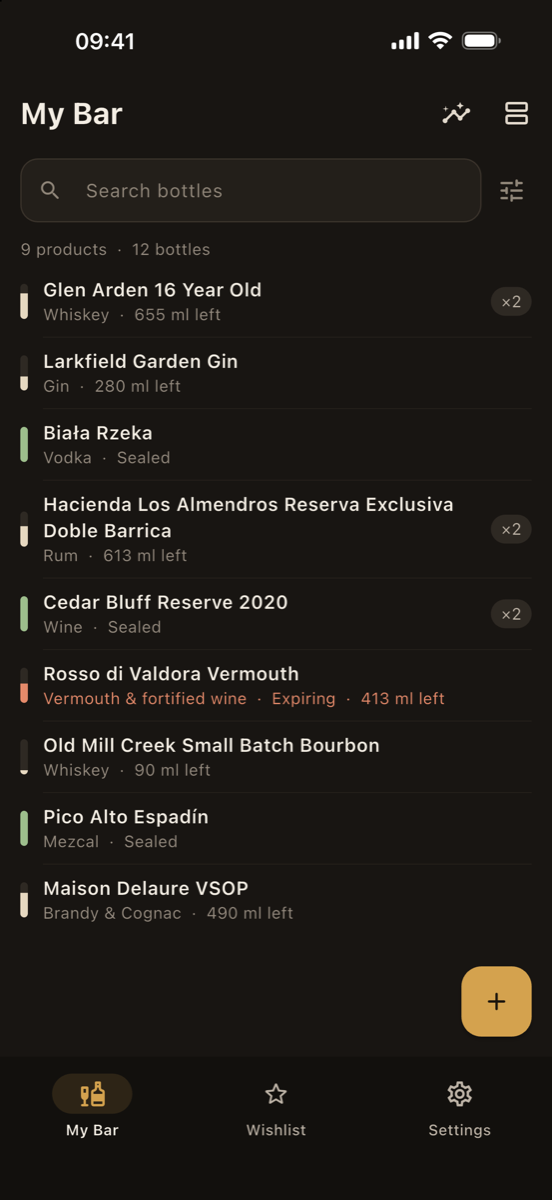
Bottles are grouped by product, so three bottles of the same whisky sit together. A compact list fits a whole shelf on one screen, or switch to cards. Mark each bottle sealed or opened and set how much is left with a slider.
Fast to add
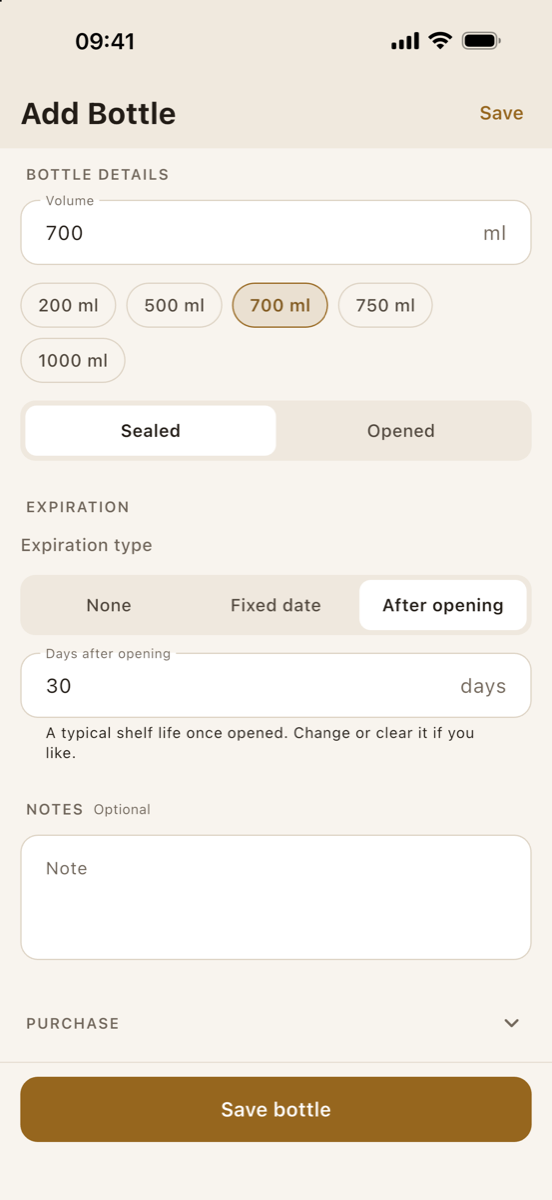
Start typing and BarVault suggests from a built-in catalogue of more than 2,000 brands and 4,700 bottles, filling in the type, strength and country. Bottles it does not know are remembered for next time.
Opened bottles that fade
Vermouth, port, sherry, cream liqueurs, wine and sake fade once opened. BarVault suggests a typical number of days after opening, which you can change, and flags bottles before they turn.
Every detail a collector keeps
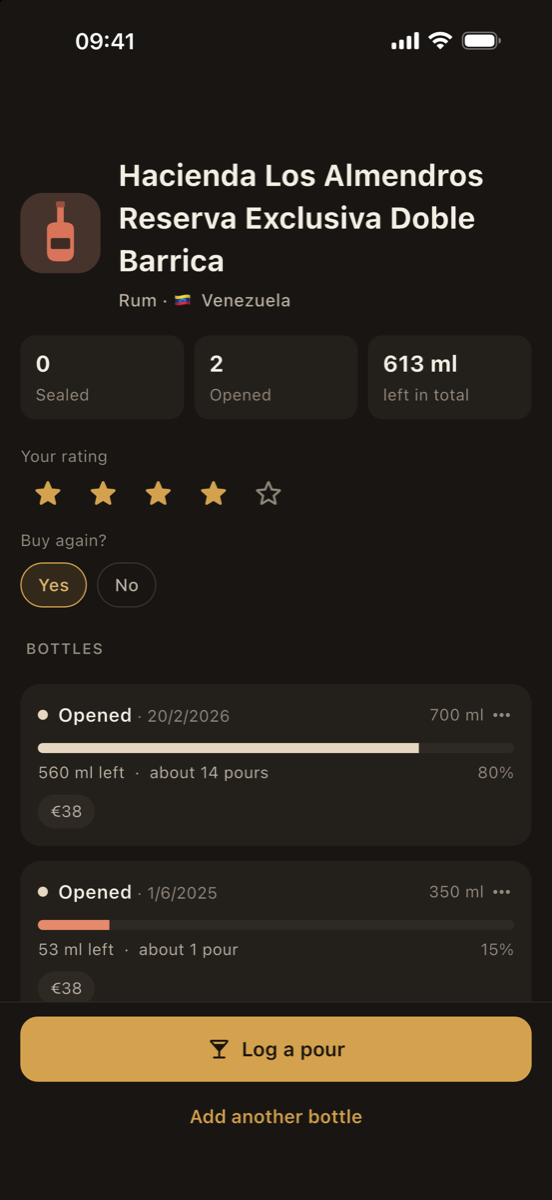
Date bought, where you bought it, store pick, barrel, batch and release year, plus your own star rating and a "buy again?" mark.
A wishlist that shops with you
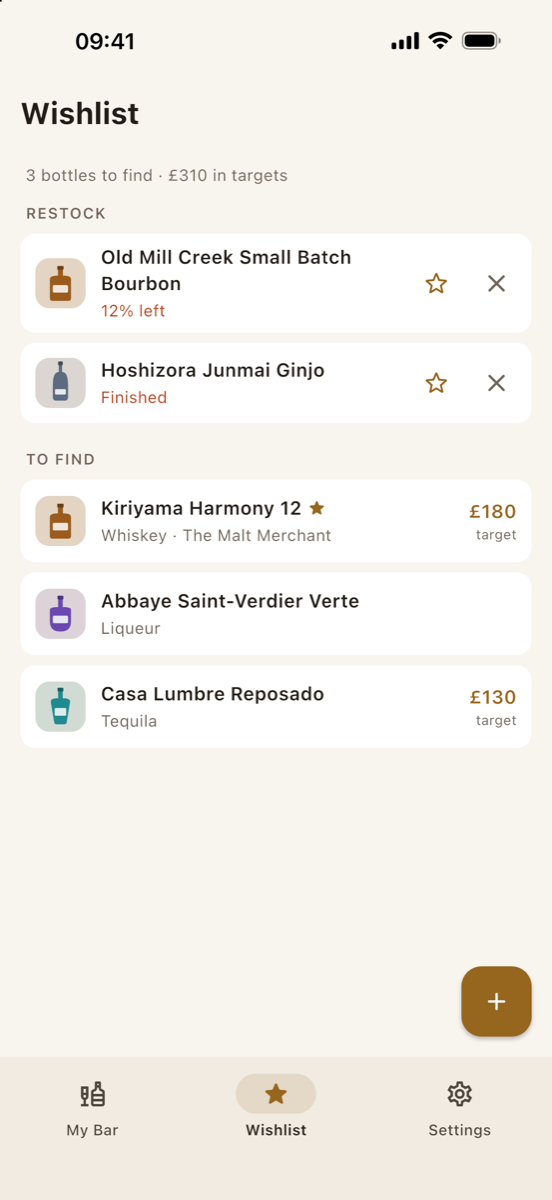
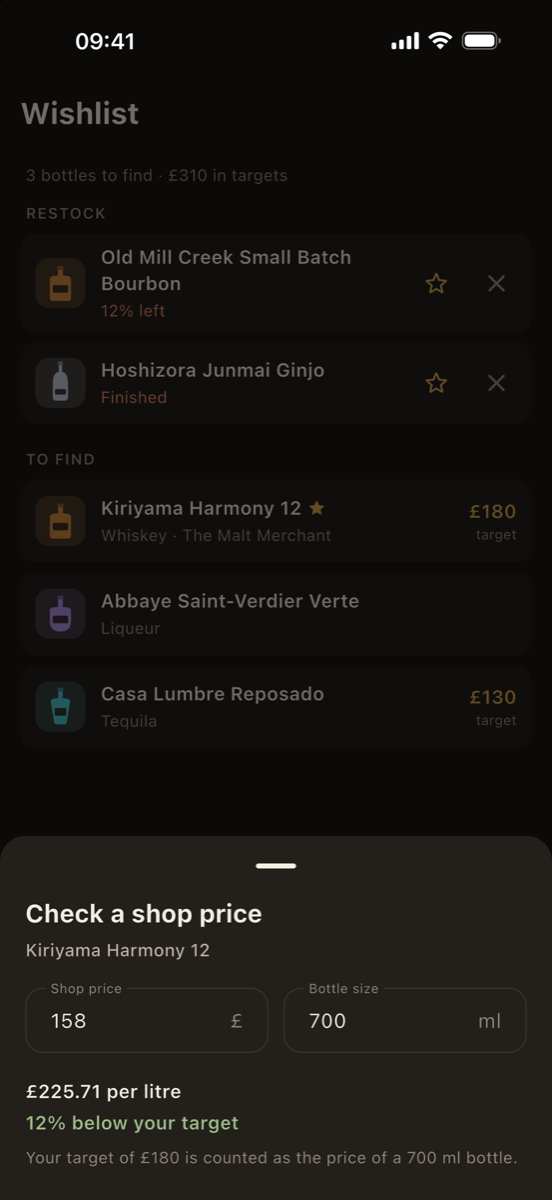
Keep the bottles you are hunting for with the price you want to pay. In a shop, type the price on the label and see how it compares with your target, per litre. Restock adds bottles running low.
Bring your spreadsheet
Import bottles from a CSV saved in Excel, Numbers or Google Sheets, and export the whole collection to a CSV any time.
Backup you control
Save the whole collection to one file, see when you last saved, and restore it on a new phone. Replace or merge.
Private and calm
No account and no server of our own. Your collection stays on your device unless you save a backup or, on iPhone and iPad, switch on Keep in iCloud, which uses your own iCloud. Warm dark and light themes.
Supporter
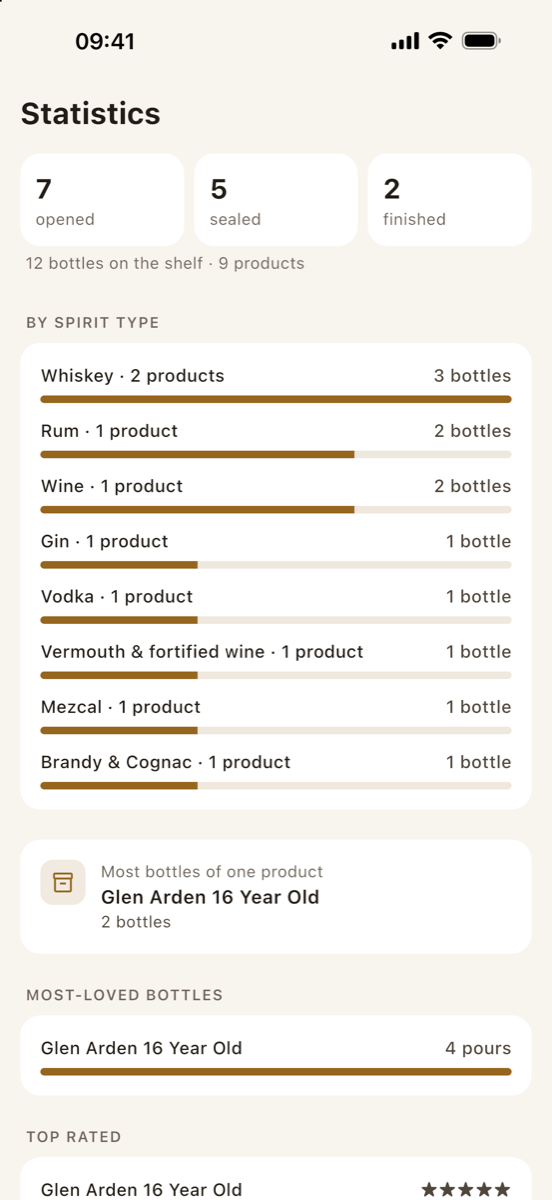
A one-time purchase, no subscription: no ads, no bottle limit, Keep in iCloud on iPhone and iPad, a pour log with each bottle's history, collection value, Statistics and accent colours.
Good to know
BarVault is a home bar inventory for people who collect bottles: whiskey, bourbon, scotch, gin, rum, tequila, mezcal, brandy, vodka, wine, sake, vermouth and liqueurs.
See what you own, what's open, how much is left and what you want to buy next, without an account or a sign-up.
What's new in 1.4.0 October 2026
- Shelf-life suggestions for opened vermouth, port, sherry, cream liqueurs, wine and sake
- New types: brandy, mezcal, fortified wine, sake and aperitifs
- Purchase details, store pick, barrel, batch and release year, plus your own rating and "buy again?"
- Check a shop price against your wishlist target, per litre
- Restock: bottles running low or just finished appear on the wishlist
- Import from and export to a spreadsheet (CSV)
- A compact My Bar list, a warm new look, and Russian and Armenian
- For Supporters: Keep in iCloud on iPhone and iPad, a pour log, collection value and Statistics
Earlier versions
What's new in 1.3.0 October 2026
- Support BarVault — one payment removes every ad and the bottle limit, for good
- Free bars hold up to 50 bottles. Already using BarVault? You keep no limit at all
- Volumes in millilitres, centilitres or fluid ounces, with quick size chips when adding a bottle
- See how much is left across each product, at a glance
- Smaller bottle photos, with no visible difference
- Fixed: empty screens slid under the ad banner in landscape
What's new in 1.2.0 September 2026
- Bottle photos — add a picture to any bottle
- Country of origin, with flags, filled in from the catalogue
- Remember your own bottles: anything the catalogue does not know can be saved and suggested next time
- A much bigger catalogue — 1,400+ brands and 2,900+ bottles, from Scotch to baijiu and pisco
- Fixed: a fresh install could stay on a loading spinner
What's new in 1.1.0 September 2026
- Wishlist — track the bottles you want next, and move one into your bar when you buy it
- Search and filters — by name, brand, category or status
- Backup and restore — save your collection to Files, iCloud Drive or Google Drive, and bring it back on a new phone
- Light mode, or follow your system setting
- Suggestions as you type, filling in brand and ABV
- New navigation, and proper tablet layouts